
External Transfers
Quickly transfer your money between Dominion Energy Credit Union accounts and your accounts at other financial institutions in a few easy steps.
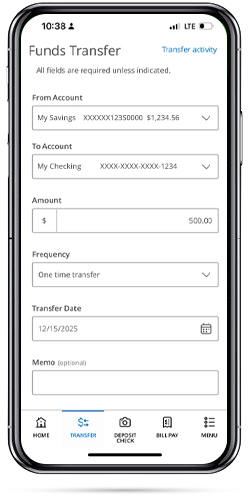
To get started, you will need the Routing Number, Account Number, and type (checking or savings) of the external account.
- Log into Digital Banking>menu>services>Manage External Accounts
- To link your accounts from other financial institutions, select "Add Account."
- You will receive 2 - 3 micro (under $1 each) test deposits in the external account within 1-3 business days.
- After you receive the deposits, return to the “Manage External Accounts” screen within Digital Banking. You will see the external account listed at the bottom of the page. Click “verify” and input the micro deposit amounts to activate the transfer feature.
Learn How to Add External Accounts
Link your accounts at other financial institutions to transfer money to them.
On the Manage External Accounts page, enter the routing number and account number for your external account. Select the account type. Click the Submit button.
We will make two small deposits of less than a dollar into your external account. Once you verify the deposits, you can finish linking your account.
Click Verify on the external account card.
Enter the amount of each deposit and click the Submit button.
You will have to confirm your identity with a secure access code to finish the verification process. Select how you would like to receive the code. Enter it into the provided field and click the Verify button to finish the process.
You will receive a success message to confirm the account is verified. Click the Close button.
Frequently Asked Questions
With External Account Transfers, you can move money between accounts at different financial institutions owned by the same person. This is sometimes referred to A2A (account to account).
Move money quickly and easily from your accounts elsewhere into your DECU checking, savings, and Money Market accounts with External Account Transfers. You can also transfer money to make loan payments and set up recurring transfers to savings.
A few other points to know:
- You can make a one-time future-dated or recurring transfer to a personal checking or savings account to/from most financial institutions in the U.S.
- Generally, transfers are credited to the other institution within one to two business days.
- There is a $5,000 per day and $5,000 per transaction limit on the transfer amount
- You will need the Routing Transit Number and the account number at the financial institution receiving the ACH credit.
When adding an account from another financial institution, we must confirm ownership of the account. To do that, we will send two small credit deposits to your other institution’s account and one withdrawal (debit) may be made from the account in the same total amount as the deposits. You will be required to enter the two credit amounts deposited in order to verify your account. These transactions generally take 1-3 business days to process.
To verify the small deposits:
- On the side menu, tap your name at the bottom > Settings > External Transfers.
- If you enter the small deposit amounts and they match our records, the account will be enabled for External Transfers.
Dominion Energy Credit Union does not charge a fee to process an External Transfer.
An external transfer will normally take one to three business days to complete.
To get started, you will need the Routing Number, Account Number, and type (checking or savings) of the external account.
- Log into Digital Banking>menu>services>Manage External Accounts
- To link your accounts from other financial institutions, select "Add Account."
- You will receive 2 - 3 micro (under $1 each) test deposits in the external account within 1-3 business days.
- After you receive the deposits, return to the “Manage External Accounts” screen within Digital Banking. You will see the external account listed at the bottom of the page. Click “verify” and input the micro deposit amounts to activate the transfer feature.
Financial education and resources to support your success
Better than ordinary checking
Enjoy our free checking account with eStatements, no hidden fees and access to powerful digital tools.